
Integrating your BookFunnel account with your Bookshelf account allows you to automatically send readers the eBooks and audiobooks they either sign up to receive via your newsletter reader magnet, or that they've purchased from your direct sales store.
If you don't already have a BookFunnel account, you can sign up for one here: https://bookfunnel.com/. Note that BookFunnel's "Mid-List Author" tier or higher are the only ones listed as allowing for integrating with direct sales stores, however, The Bookshelf and BookVault have worked together to make it so that the "First-Time Author" tier will also allow you have eBooks fulfilled by BookVault when sold directly through your Bookshelf store. Just note that this tier allows for eBook fulfillment only—audiobooks are not included. But if you're a new author just starting with direct sales of eBooks only, their First-Time tier can still be a great option.
How to Add the Integration
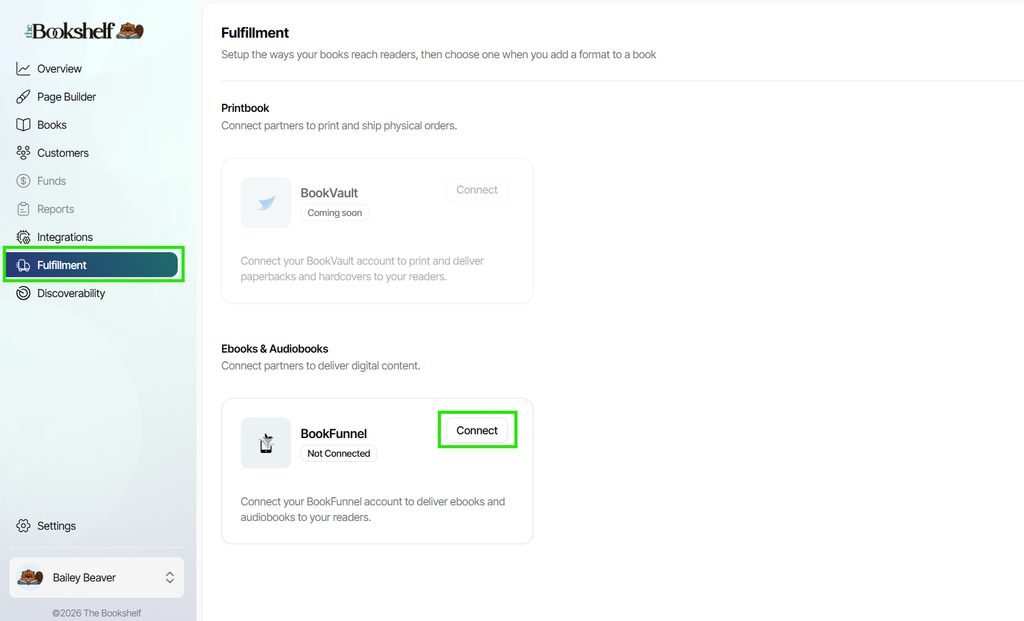
Inside your Bookshelf account, click on Fulfillment in the left-side main menu. Then click on the "Connect" button next to BookFunnel under the eBooks & Audiobooks section:
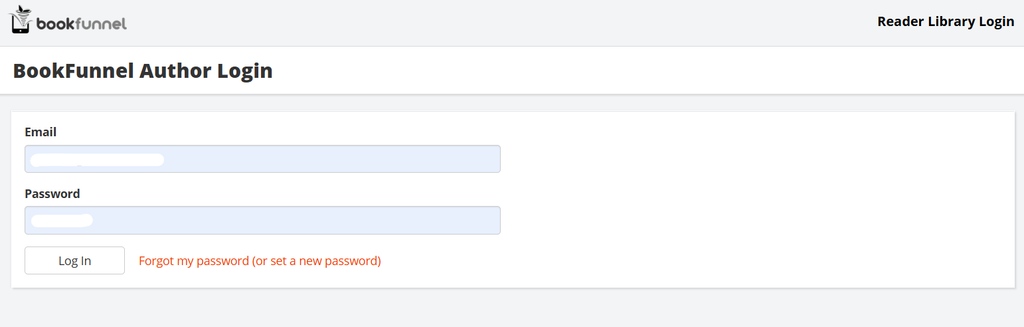
If you're not already logged into your BookFunnel account on the browser you're using, you'll be asked to log in:
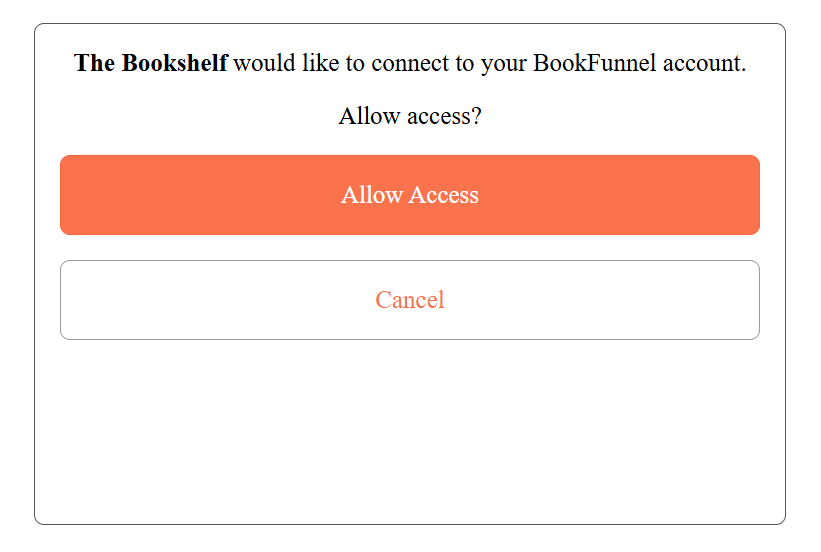
Once you're logged in (or if you were already logged in), you'll just be asked to verify that you want to allow The Bookshelf to access your BookFunnel account. Click "Allow Access":
When complete, you'll be taken back to the Fulfillment page of your Bookshelf account, where you can see that your BookFunnel integration how now changed to "Connected":

If you need to disconnect your BookFunnel account from your Bookshelf account, just come back to the Fulfillment page and click the "Disconnect" button, then verify in the pop-up that appears that you do want to disconnect it. Note that any digital books that have already been ordered will have their fulfillment completed, but no new digital books can be purchased through your store without a Bookfunnel integration. You can always reconnect your BookFunnel account at any time, and it will reinstate the BookFunnel purchase options on any books you had set up previously.
To learn how to add eBook and audiobook formats to sell direct with fulfillment by your BookFunnel account, check out this support article.